
Quality Management in Business Central 28.0 - Microsoft's answer to a long-standing gap.
Until now, businesses needing goods-in and production output inspections, and the ability to quarantine non-conforming material had to rely on third-party apps to get this done in Business Central.
That's changed with the introduction of the Quality Management extension out-of-the box in version 28.0 (generally available now).
What Is It?
It is a set of new features (both functionality and reporting outputs) designed to help businesses meet industry and regulatory requirements with quality checks built into the process of goods receipting and production order output. This gives customers the confidence in consistent quality across their product lines.
How Does It Work?
Quality checks can be completed in the below scenarios:
- Purchase Receipts: Quality checks happen after you post purchase receipts, with or without warehousing handling.
- Production Output: Quality checks happen on production output, either manually or automatically flushed, to verify that the manufactured products meet quality specifications.
- Assembly Output: Quality checks happen on assembly output, either manual or automatically with assemble-to-order, to ensure that the assembled items meet quality standards.
- Manual and Scheduled Checks: Quality checks trigger manually or at regular intervals on a schedule.
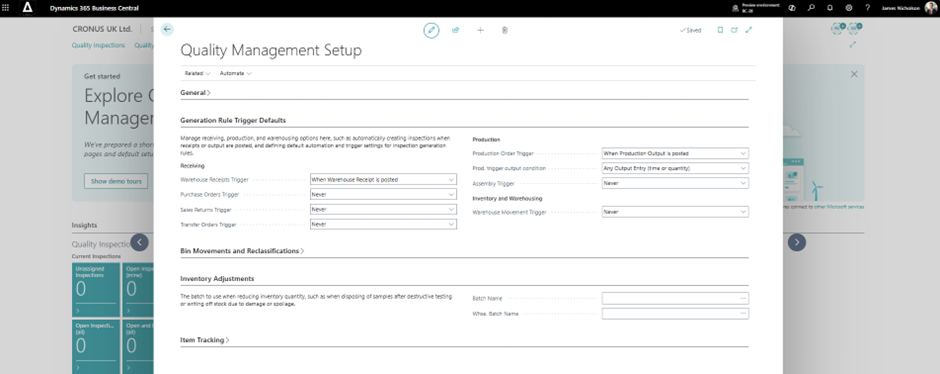
Setup and configuration available for quality checks to tailor to your workflows:
- Quality check scope: Apply the quality check scope to various levels, including individual items, groups, lots, or specific serial and package numbers.
- Parameters or attributes to assess: Assess physical measurements such as weight, dimensions, and density to ensure products conform to specifications.
- Quality check timing and triggers: Specify the event that initiates the quality control procedure. For example, use an event when you post a purchase receipt, after production or assembly output, or at predefined time intervals.
- External analysis settings: Set a fixed quantity or percentage of the total quantity as samples for third-party analysis.
- Quality test plans: Define a quality test plan for each scope. Include triggers and a list of testing parameters for each trigger.
- Quarantine procedures: Define quarantine procedures to freeze items or prevent their immediate use.
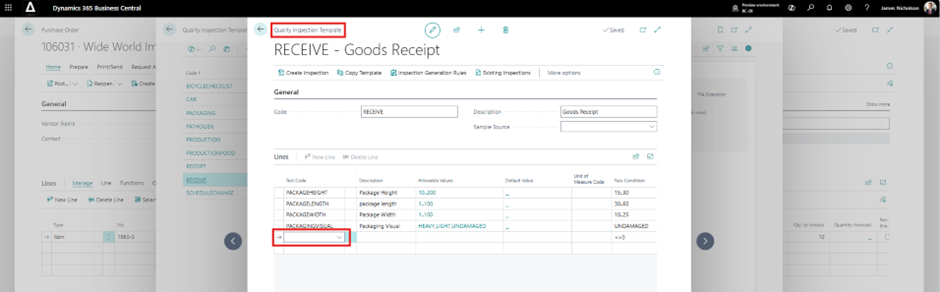
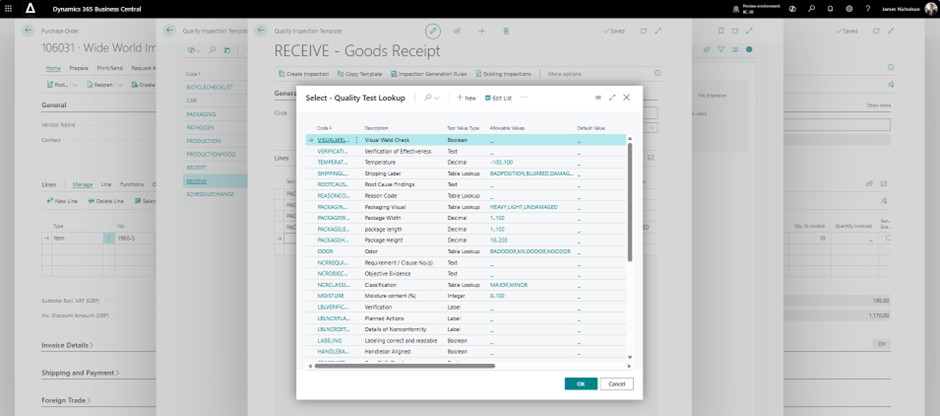
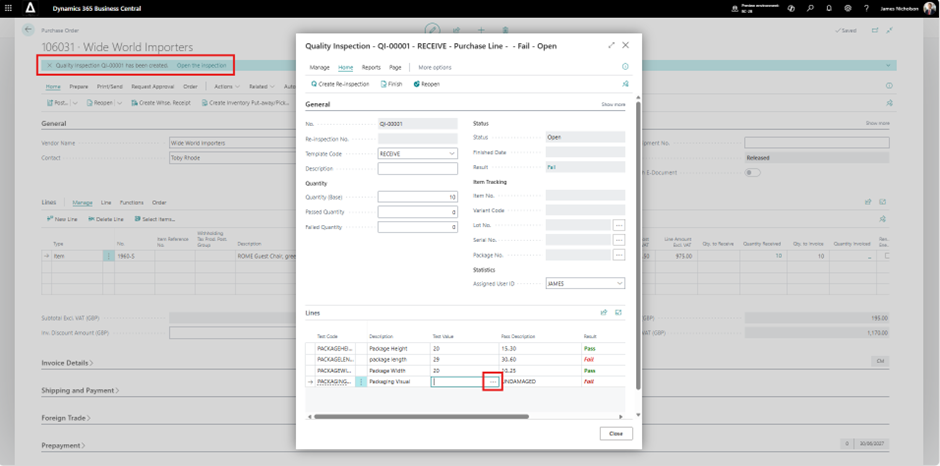
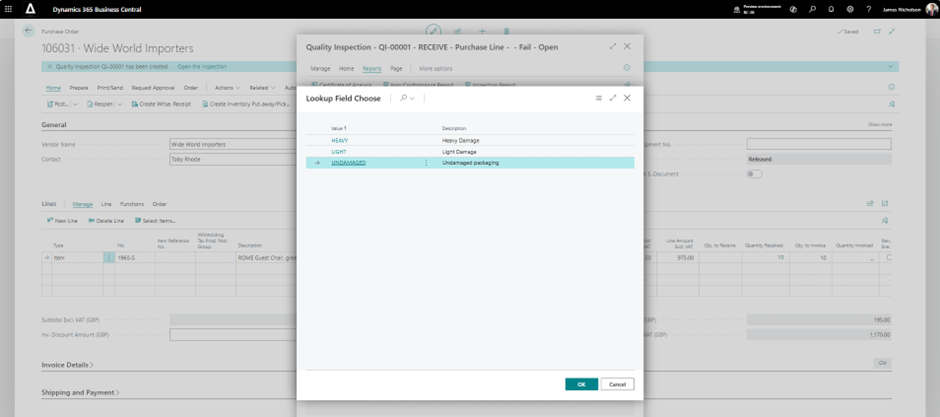
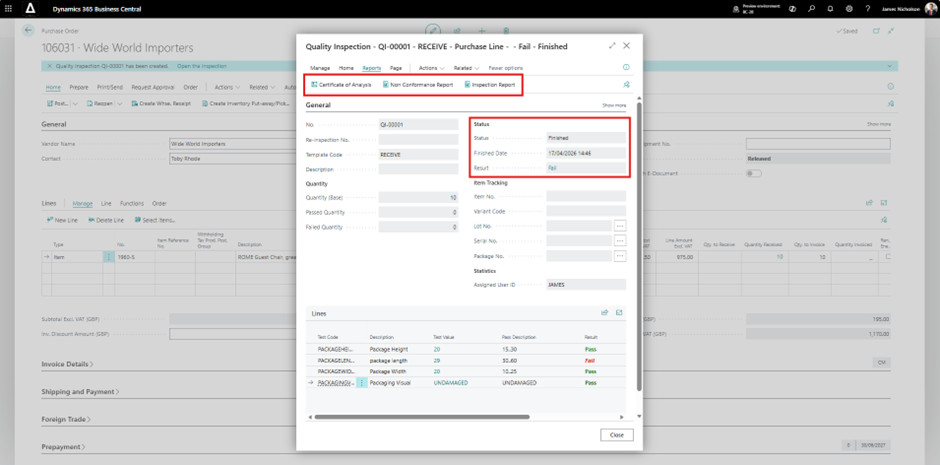
Complete the Quality Inspection document once it is manually or automatically created according to your triggers.
- In our example, a receipt is posted from a Purchase Order (no warehousing) - we then:
- Carry out the predefined tests based on your Quality Inspection Templates
- Input your test results and see the test result - Pass or Fail
- Finish the Quality Inspection and review the overall result - Pass or Fail
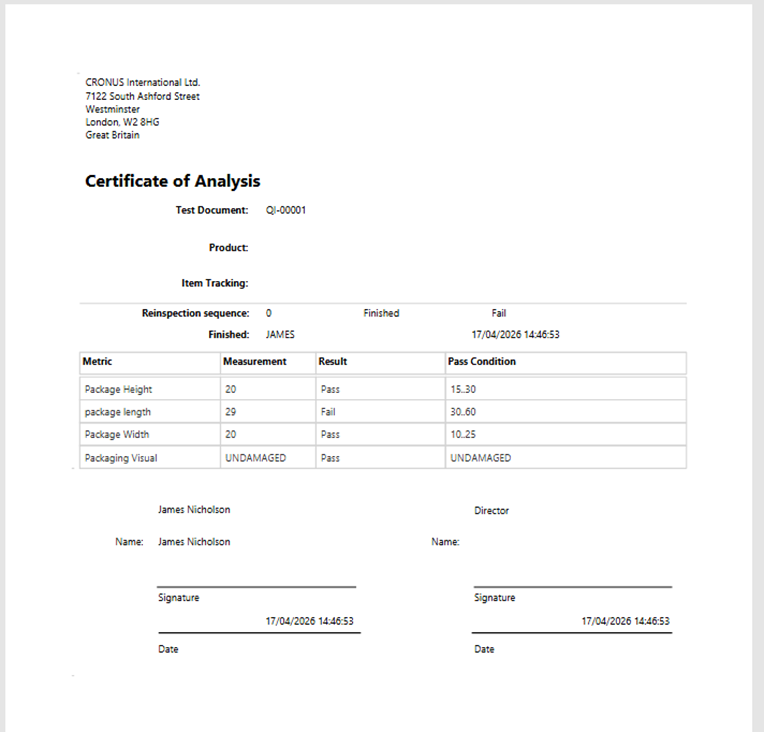
Outputs - you now have the below reports and analysis functionality:
- Quality Certificates: Quality certificates are essential documents that verify the quality and safety of products. They ensure compliance with standards.
- Certificate of Analysis: A certificate of analysis provides detailed information about the composition and quality of a product. You often need it for regulatory compliance.
- Quality Status Overview: An overview of item quality status helps stakeholders understand the current quality levels and any issues in production.
- Quality Orders Overview: An overview of quality orders summarizes customer requirements and production batches. It ensures that quality expectations are met.
Conclusion - Is It Enough, or Do You Still Need a Third-Party App?
Our honest and practical take on this is that if you are using a quality management extension already and it is working well, then keep using that. If you’re looking into them or you are mid-implementation, then it is worth evaluating whether the standard functionality now covers all your requirements.
If you need help with this decision, we are here to make sure you make the right choices with technology – please feel free to reach out to us on hello@deltatechnology.co.uk